


WhatsApp

Legal work starts with a message

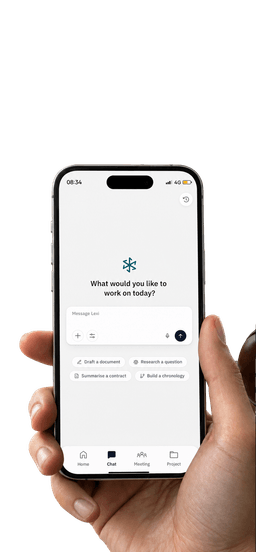
Use Lexi through a familiar conversational interface for the tasks supported on WhatsApp. Ask, follow up and get a useful next step, then continue deeper work in the right Lexi experience.

A familiar conversation. A clearer next step.

A simpler way to start with Lexi.

Bring supported legal requests into a familiar chat flow without overstating what WhatsApp can do.

  • Ask naturally

    Send a supported legal request in a familiar conversation format.

  • Follow up

    Clarify the request through a short conversational exchange, where supported.

  • Get direction

    Receive a focused response that helps identify a useful next step.

  • Keep context

    Include the relevant information needed for the supported request.

  • Review responses

    Read the answer and check any sources or references provided, where available.

  • Move work forward

    Use supported responses and actions to continue the task.

  • Return to Lexi

    Move into the appropriate Lexi experience when deeper work is needed.

  • Know the boundaries

    Use WhatsApp for its supported tasks, not as a substitute for every Web App capability.

A familiar way to work with Lexi.

Ask

Start with the question

Make a supported request in a familiar chat format and get a response focused on the task.

  • Write in plain language
  • Keep the request focused
  • Review the response
Is a two-year non-compete enforceable?MessageOften not as written.Cited sourcesRao v. KestrelFirm playbook

Follow up

Keep the conversation moving

Clarify what you need through follow-up messages where the WhatsApp experience supports them.

  • Add relevant context
  • Ask a focused follow-up
  • Keep the exchange easy to scan
Agreement.pdfDoes clause 9 hold up?MessageClause 9Two yearsLongAny areaBroadClients onlyNarrow

Continue

Take the next step in Lexi

Use supported links or hand-offs to continue deeper work in the appropriate Lexi experience.

  • Open supported references
  • Move to the right workspace
  • Continue deeper legal work
Can you redline clause 9?Open in LexiMessageArden LabsAgreementAddedChat summaryFrom chatClause 9 redlineDraft

From message to next step.

Start a conversation, review the response and continue the task where it belongs.

  1. Open Lexi on WhatsApp

    Use the official setup flow to access the Lexi WhatsApp experience.

  2. Send a supported request

    Ask a question or make a request available in this experience.

  3. Review and follow up

    Check the response and clarify the request where supported.

  4. Continue in context

    Use a supported reference or hand-off to continue in Lexi when needed.

FAQ’s

List only the requests and actions supported by the current WhatsApp experience.

No. WhatsApp is built for quick, supported requests. For long documents, full drafting and matter management, continue in the Web App.

Yes. Where the WhatsApp experience supports it, you can reply with follow-up messages to clarify or refine your request.

Share only what the request needs. Your conversations are handled under the same security and privacy commitments as the rest of Lexi.

See Lexi in action

See your legal work come together.

See where a conversational entry point can support your legal workflow.

Book a demo