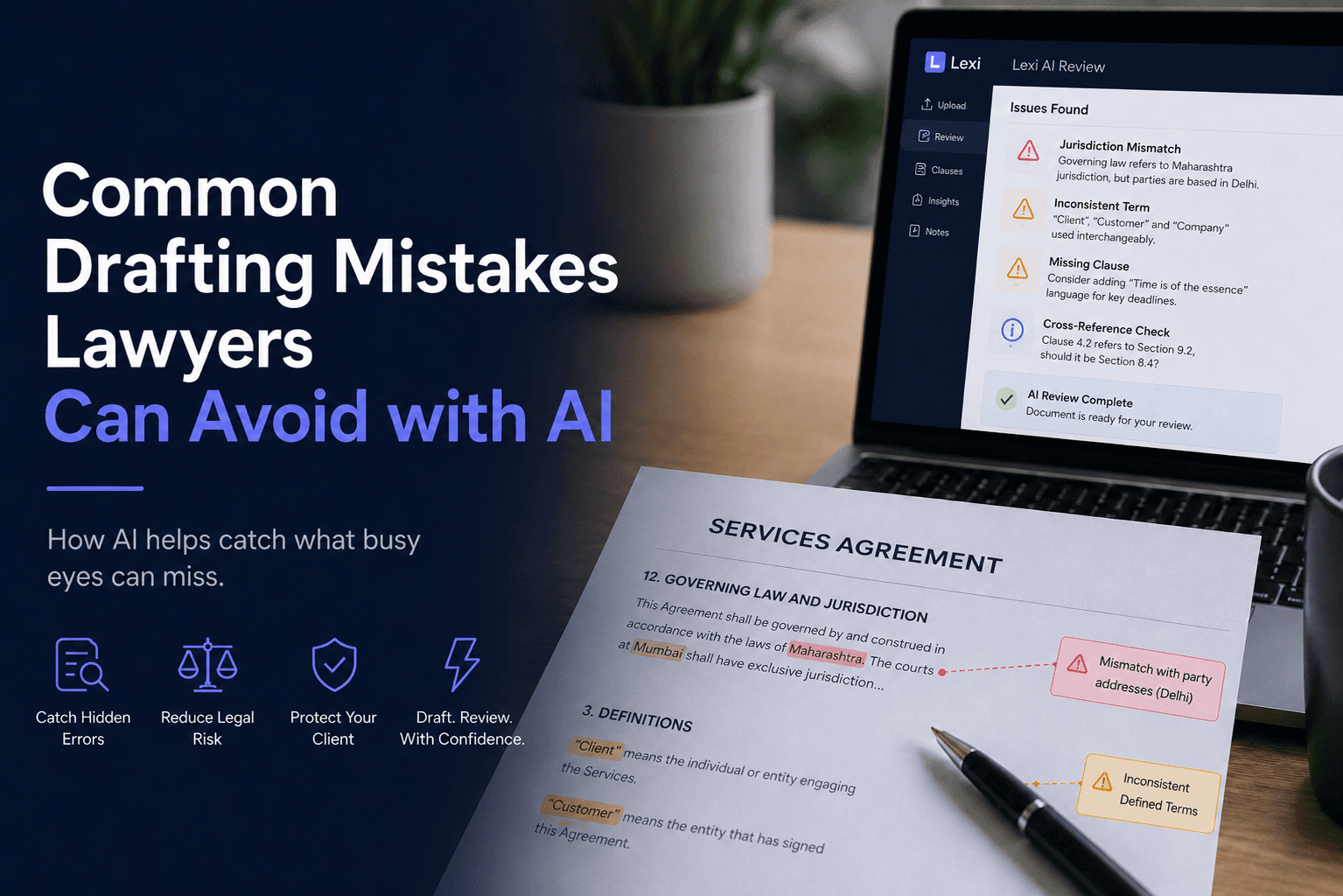
AI can help lawyers catch common drafting errors before a contract goes out, especially template leftovers, inconsistent defined terms, broken cross-references, conflicting obligations, vague deadline language, and execution details that no longer match the deal. It works best as a second reviewer, not a substitute for legal judgment. Used that way, it can help legal teams find quiet but costly mistakes faster while keeping final responsibility with the lawyer.
Why careful lawyers still miss drafting errors
Most drafting problems are not dramatic. They are small inconsistencies that survive because the document looks familiar: an old party name, a clause reference that no longer matches, a defined term that shifts midway through the agreement, or a dispute clause copied from another matter.
These errors happen even in strong legal teams. Templates are useful, deadlines are real, and repeated language is easy to skim. That is why a structured second pass matters. For teams building that habit, how to get started with legal AI is a practical place to begin.
1. Copy-paste template mismatches
The most common drafting problem is also one of the easiest to overlook: language is borrowed from an earlier template and only partly updated for the current transaction.
What this looks like
- A previous client or counterparty name remains in a representation, notice, or signature block.
- An address or contact detail carries over from an older matter.
- A services description is updated in one section but not another.
- A governing law or forum clause reflects a different transaction context.
How AI helps
Depending on the tool and workflow, AI can help flag party names, dates, addresses, notice details, and clause references that do not fit the rest of the draft. That makes it easier to catch language that looks harmless in isolation but does not fit the agreement as a whole.
This is one reason lawyers should be careful with copied clauses. We cover the broader risk in the template trap.
2. Confusing governing law and jurisdiction
Governing law and jurisdiction are related, but they do different jobs. Governing law addresses which body of law applies. Jurisdiction or forum language addresses where disputes may be heard or resolved. In many jurisdictions, poor alignment between these provisions can create confusion, cost, or avoidable procedural fights.
How AI helps
AI can help surface internal inconsistencies between party locations, place of performance, dispute-resolution wording, and other context in the draft. It cannot choose the best forum for the deal, but it can highlight places where the clause may have been copied forward without enough review.
The legal answer here is often transaction-specific. Lawyers should still check local law, institutional rules, and client priorities before finalizing dispute language.
3. Defined terms that drift across the document
Defined terms are meant to improve precision, but long agreements often use multiple labels for the same concept. A party may be called the “Client” in one section, the “Customer” in another, and the “Company” somewhere else.
Why this matters
Term drift can create uncertainty about who owes an obligation, who receives a right, or whether two clauses are intended to address the same issue. It also makes a draft harder to negotiate because the reader has to keep reinterpreting the same concept.
How AI helps
AI can scan for defined terms, undefined capitalized words, and similar expressions used inconsistently across the agreement. This is one of the most practical uses of contract review systems because the issue often appears across sections rather than inside a single clause.
For a broader view of strengths and limits, see how accurate AI legal document review is.
4. Conflicting obligations in different clauses
Some drafting problems do not appear inside one paragraph. They emerge when two clauses are both plausible yet inconsistent with each other.
Common examples
- One clause requires payment in 15 days, while another says 30 days.
- A confidentiality clause survives for a fixed term, while another clause suggests indefinite survival.
- A termination provision allows immediate termination, but a separate notice clause requires a cure period first.
How AI helps
AI can help identify clauses dealing with the same subject and bring them together for comparison. That is useful because contradictions are often spread across a long document and are easy to miss in a linear read-through.
This supports the same kind of second-pass workflow discussed in can AI review contracts.
5. Weak or vague deadline language
Timing provisions often look routine, but they can carry major commercial consequences. The issue is not just whether the draft includes a phrase like “time is of the essence.” It is whether the contract clearly identifies what must happen when, who is responsible, and what follows if a deadline is missed.
How AI helps
AI can flag vague timing language such as “promptly” or “as soon as possible,” identify deadlines with no stated consequence for delay, and compare dates across delivery, payment, milestone, renewal, and termination provisions.
The lawyer still decides whether stronger wording is legally and commercially appropriate. The value here is that missing logic becomes harder to overlook.
6. Broken cross-references and numbering errors
Cross-references often break when clauses are moved, deleted, or renumbered during negotiation. A reference to Clause 8.2 may remain even after the relevant obligation has moved to Clause 9.1, or the referenced clause may no longer exist at all.
How AI helps
AI can help flag cross-references that point to missing clauses, outdated numbering, or sections that do not appear to match the topic being discussed. This is a relatively simple review task, but it can prevent disproportionate confusion later if an exception, remedy, or condition becomes hard to interpret.
7. Signature block and execution inconsistencies
Execution errors are easy to miss late in the process, especially when drafts circulate across multiple stakeholders. Common issues include the wrong signatory name, an outdated entity name, mismatched signature dates, or signature blocks that do not match the parties defined in the agreement.
How AI helps
AI can help compare signature blocks, party definitions, dates, and notice details across the draft so the final execution version is internally consistent. Lawyers still need to confirm authority, signing formalities, and any local execution requirements.
How to use AI responsibly in a drafting workflow
The strongest drafting workflow keeps the lawyer in charge of legal and commercial choices while using technology for a focused second pass. That approach is easier to supervise, easier to audit, and more credible with clients than treating a system output as the finished answer.
A practical workflow for lawyers
- Draft or revise the contract using your own legal and commercial judgment.
- Run the draft through a legal review workflow designed for professional use.
- Ask for targeted checks instead of a vague request to review the whole contract.
- Review every flagged issue yourself and decide whether a change is appropriate.
- Send out only a final human-approved draft.
For teams handling large volumes of agreement review, see Lexi for law firms, Lexi for corporate legal departments, Lexi for litigation teams, and Lexi for in-house legal teams.
Useful AI review prompts
- Identify inconsistent defined terms and undefined capitalized terms.
- Check whether party names, addresses, dates, and notice details are consistent throughout the agreement.
- Flag leftover template language that may not belong to this transaction.
- Find clauses that create conflicting obligations or timelines.
- Review the dispute-resolution clause for missing or inconsistent elements.
- List clauses with deadlines but no stated consequence for delay.
- Compare signature blocks against party definitions and execution details.
If your team is building guardrails, how lawyers can use AI safely offers a practical checklist.
Why this matters for training and quality control
Used carelessly, AI can encourage passivity. Used well, it sharpens review discipline by forcing lawyers to test whether a draft is internally coherent. That distinction matters most for junior lawyers, who benefit from seeing exactly where a contract stops being precise.
This is partly a technology question and partly an attention question. Repetitive text is easy to skim, which is why drafting errors survive even in conscientious teams. Our post on the attention problem in legal review explains why familiar language gets less scrutiny than it should.
There is also a useful lesson from established cognitive research. Norman Mackworth's 1948 vigilance research is still widely cited for the idea that sustained attention declines over time. Contract review is not the same as a laboratory clock test, but the broader point is familiar to any lawyer: the longer and more repetitive the task, the easier it is to miss small anomalies. A second-pass system is valuable partly because it breaks that pattern.
A checklist to build into every drafting process
Before a contract goes out, lawyers can run a focused review against a short checklist:
- Are all party names, addresses, and signatory details consistent?
- Are all defined terms used consistently?
- Are there undefined capitalized terms?
- Do cross-references point to the correct clauses?
- Do payment, delivery, renewal, termination, and notice periods align?
- Are the consequences of missed deadlines clearly stated where timing matters?
- Does the dispute-resolution clause match the deal context?
- Is any leftover language still sitting in the draft from an older template?
- Do the execution blocks match the parties and final version details?
Lexi supports this kind of second-pass review at scale. Across 200+ organizations, Lexi has helped legal teams process 5,000,000+ documents and 200,000+ cases. Teams using structured AI review workflows have reported outcomes such as 45% more cases per attorney and 10+ hours saved per lawyer per week.
Takeaway
Drafting mistakes AI can catch are usually the quiet ones: copied template leftovers, inconsistent definitions, broken cross-references, conflicting obligations, vague deadlines, and execution details that no longer match the final deal. Those are exactly the errors that slip through when lawyers are moving fast and the draft looks familiar.
The practical use case is straightforward: let the system scan for pattern-level inconsistencies, then let the lawyer decide what matters, what is intentional, and what should change. That is how legal teams get cleaner drafts faster without handing off professional responsibility.
FAQ
What drafting mistakes can AI catch in contracts?
AI can often help flag template leftovers, inconsistent defined terms, broken cross-references, conflicting timelines, missing notice details, vague deadline language, and execution inconsistencies. It is most useful as a review layer after a lawyer has drafted or revised the agreement.
Can AI catch contract inconsistencies better than manual review?
AI is often better at scanning long documents for repeated inconsistencies across sections, but it is not better at legal judgment. Lawyers still need to decide whether a flagged issue is material, intentional, enforceable, or commercially appropriate.
Is it safe to use AI for contract drafting review?
It can be, if the tool is used with appropriate confidentiality controls, lawyer supervision, vendor review, and a clear internal process. Teams should also check local professional rules, client outside-counsel guidelines, and internal security requirements before using any AI system in legal work.