بقلم Lexi Team
Choosing law firm management software in India is mainly a workflow and control decision, not a feature comparison. Before you book demos, work out where matter information is created, who owns each deadline, how documents move through review, how clients get updates, and how time and invoices are recorded.
Those answers matter because a system can be strong in one area while leaving another dependent on email, spreadsheets or individual memory. The objective is not to assume that new software will automatically improve legal outcomes. It is to create a clearer, testable operating model for the firm’s matters and administration.
Evaluate practice-management systems separately from AI-supported drafting and research tools. The checklist below focuses on what an Indian firm can test in a demonstration and establish through procurement documents.
Why firms outgrow spreadsheets, email and disconnected tools
Spreadsheets and inboxes can work for a small number of matters or a tightly coordinated team. Problems tend to emerge when the volume, number of contributors or client-reporting requirements grow. A matter’s next hearing, correspondence, draft pleading, assigned lawyer, billable work and client instruction may then exist in several locations.
The operational risk is not simply that information is stored in more than one place. It is that the firm cannot quickly establish which record is current, who is accountable for the next action, whether a deadline has been independently checked, or what must be handed over when a lawyer changes teams.
Start by mapping representative workflows: an active litigation matter, a transaction, a retainer-driven advisory request and a closed matter. Identify the source of truth for each stage, the approvals needed and the information that must be retained. Only then should the firm decide whether it needs a law practice management system, a focused document tool, an accounting workflow, an AI legal-work tool, or a combination.
What law firm management software usually covers
Law firm management software typically provides a shared operational record for matters and firm work. The precise scope differs by product, configuration and subscription, so firms should confirm the scope with each vendor.
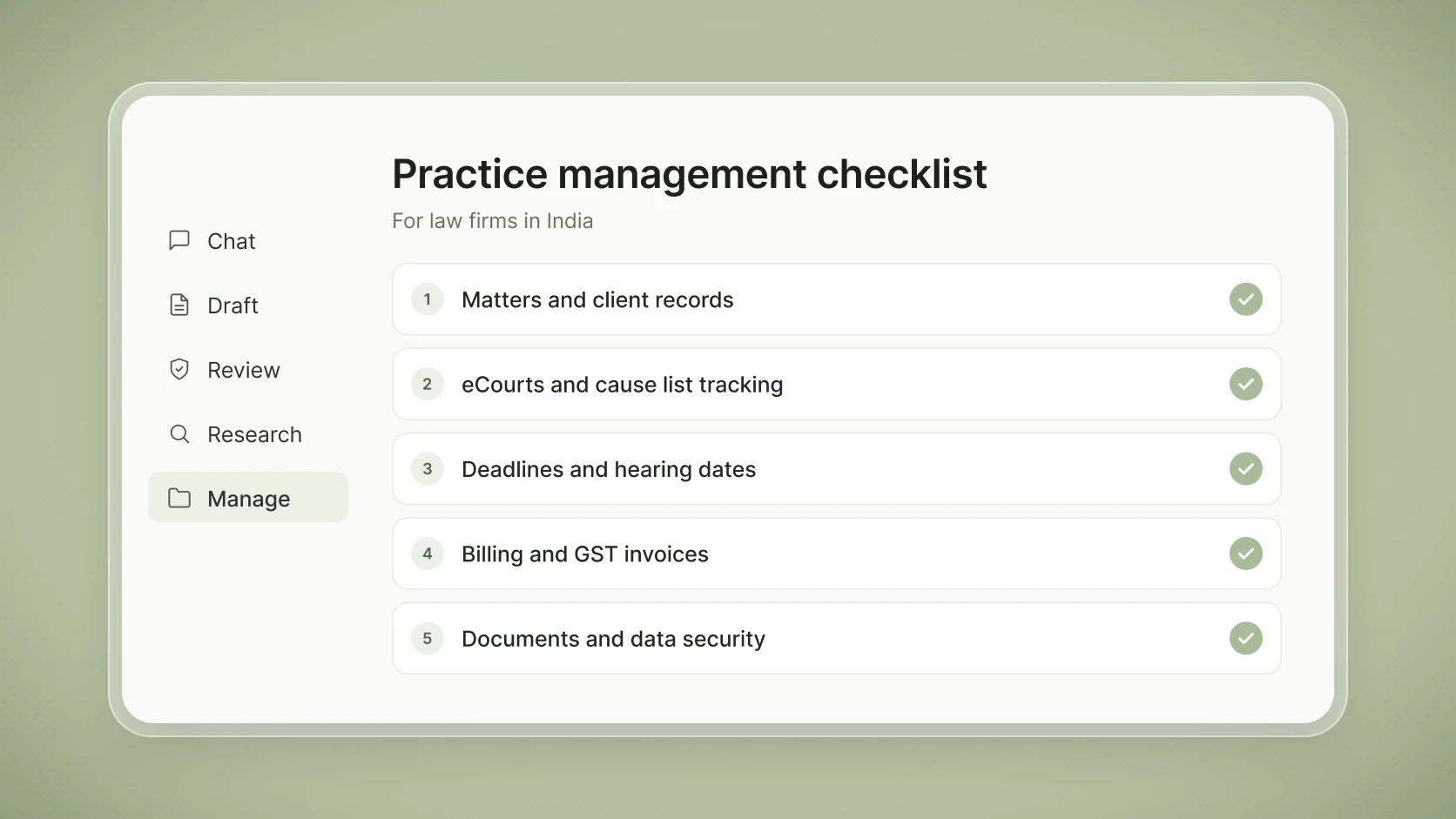
- Matter and case records: matter number, parties, team members, status, notes, tasks and key dates.
- Work allocation: tasks, reminders, ownership, approvals and escalation rules.
- Document administration: links or storage for files, permissions, search, version handling and document-related workflows.
- Contacts and communications: client and counterparty records, communication history and controlled access to sensitive information.
- Time, billing and reporting: time entries, expenses, invoice workflows, collections records and management reporting.
- Administration: user roles, audit records, templates, integrations, exports and retention settings.
A feature name alone is not enough. “Document management,” for example, may mean basic file attachment in one system and versioned storage, search, permissions and retention controls in another. Ask the vendor to show the live workflow rather than relying on a sales label.
Building an Indian-firm shortlist
Shortlist providers willing to demonstrate the firm’s actual workflows and give written answers on product scope, hosting, support and data handling. Include existing tools in the assessment if they may meet the requirements. Give every provider the same scenarios and request a written statement distinguishing functions that are native, configurable, supplied through a third party, planned but not released, or unavailable.
No feature, integration, security certification, price or implementation timeline should be inferred from a product name or third-party listing. Where a provider’s position is unclear, obtain a written answer before treating the function as available.
| Shortlist question | Evidence to request |
|---|---|
| Does it fit the firm’s matter model? | A demonstration using a representative matter, its parties, team roles, stages and reporting fields. |
| Does it support the required workflow? | A written configuration map identifying native, configurable, third-party and unavailable functions. |
| Can the firm leave safely if needed? | Sample export files, field definitions, the attachment-export process, timing and charges. |
| Are security and support commitments suitable? | Contractual terms, hosting information, the incident process, backup approach, subprocessor list and support commitments. |
Compare the full cost of ownership
Request itemised quotes against the same user counts, modules, assumptions and cost period. Record both one-time and recurring charges:
- Subscription: included users and modules, additional seats, storage limits and overage rates.
- Implementation: setup, configuration, training, migration of matters and documents, and required integrations.
- Ongoing service: support levels and charges for additional support, storage or integrations.
- Contract and exit: contract term, renewal pricing and increases, cancellation terms, data-export format and any export or exit charges.
Compare providers over the same period, including expected implementation and exit costs, rather than comparing subscription prices alone.
A buyer’s checklist for law firm management software in India
A useful evaluation is a scripted working session, not a generic dashboard tour. Bring sample matter structures, appropriately sanitised documents, roles and reports. Ask every shortlisted provider to complete the same scenarios and record the outcome.
- Check conflicts, then open and manage a matter. Search proposed clients, adverse parties and related entities against existing records. Test how a potential conflict is escalated, cleared and recorded before the matter proceeds. Create a matter with multiple parties, a responsible partner, working team, conflict-sensitive access restrictions, tasks and a clear status.
- Run deadline control. Enter a hearing date, a limitation-related internal milestone and a client commitment. Test reminders, escalation, reassignment, acknowledgement and an auditable completion record.
- Manage documents. Upload or link a representative bundle, restrict access, locate a file through search, identify the current version and export the matter file.
- Record time and billing. Capture time and expenses, route an invoice for approval, apply the firm’s required invoice information and inspect reporting by client, matter and lawyer.
- Communicate and hand over. Record a client update, preserve the communication record, change the matter owner and confirm that the incoming owner can see the necessary history without receiving unrelated restricted material.
- Exit and migrate. Export matter metadata, documents, contacts, time entries and audit-relevant records in a usable format. Establish what is included and how long it takes.
Capture exceptions as carefully as successful demonstrations. A workflow that depends on a manual workaround may still be acceptable, but it should have an identified owner and control.
Court and deadline workflows in the Indian context
Litigation practices should separately assess court-information and cause-list workflows. India’s eFiling Services describe online filing of case documents for courts covered by the service. The eCourts portal provides access to official court services. Neither establishes that a commercial practice-management product has an official integration, complete court coverage or real-time data.
Ask exactly how the provider obtains and presents case status, orders, hearing information and cause lists: official-source access, a vendor integration, a link-out, user entry, data import or staff checking. Get the answer in writing and test the workflow for the courts where the firm actually appears.
For every critical date, define a control model: who enters it, who verifies it against the relevant court source, who owns the next action, who receives escalation and where the verification is recorded. Software reminders should support, not replace, lawyer-led supervision and the firm’s own deadline protocol.
Documents, billing and client communication
For documents, test storage location, permissions, full-text and metadata search, version handling, download restrictions, external sharing, audit records and bulk export. If the product integrates with a separate storage provider, establish which system is authoritative and how permissions stay aligned.
For billing, start with the firm’s actual process: hourly, fixed-fee, stage-based, retainer or mixed arrangements; disbursements; credit notes; write-offs; partner approval; and collection reporting. Ask whether invoices can use the firm’s approved GST invoice template and how invoice data reaches its accounting system. Test whether the system can identify supplies subject to reverse charge: legal services supplied by an individual advocate or firm of advocates to a business entity are generally covered by Notification No. 13/2017-Central Tax (Rate), entry 2. Check how it handles any applicable forward-charge cases and reconciles receipts net of tax deducted at source (TDS) by clients. Have the firm’s tax adviser approve the template and tax settings before live use.
Client communication also requires a deliberate design. Establish which channels the firm permits, what is recorded against the matter, who may send updates, how client contacts are permissioned and how communication history is preserved during reassignment. A communication tool should not become an unsearchable parallel matter file.
Security, privacy and Indian data-protection duties
Security review should be a procurement workstream, not a final checkbox. Request documentation covering access controls, multi-factor authentication where offered, logging, backups, restoration testing, incident reporting, encryption claims, hosting location, subprocessors, retention, deletion and export. Ask which responsibilities are the firm’s, which are the provider’s and which depend on configuration.
For Indian firms, the Digital Personal Data Protection Act, 2023 is relevant to the handling of digital personal data. The Digital Personal Data Protection Rules, 2025 were notified in November 2025, with phased commencement of the Act and Rules. Under the notified schedule, core data-fiduciary duties concerning notice, security safeguards, breach intimation and retention are due to apply from May 2027. Contracts signed now should provide for those duties. Do not assume that a vendor’s generic privacy statement resolves the firm’s obligations.
Useful preparation includes maintaining a data map, limiting access by role, documenting retention decisions, assessing vendor and subprocessor arrangements, planning incident escalation and testing how data can be retrieved or deleted. For broader context, read Lexi’s overview of the DPDP Act and AI in India, while obtaining advice specific to the firm’s processing activities.
Where AI drafting and research tools fit
Practice-management software organises the firm’s matters and operational workflows. AI-native legal technology for law firms, litigators and in-house teams, such as Lexi, supports lawyer-led legal work including drafting and research. These are related but different functions.
An AI drafting or research tool can complement an existing practice-management system; it is not a substitute for the firm’s matter records, billing administration, client-contact management, deadline governance or operational reporting. Evaluate each layer on its own role and its ability to work within the firm’s access and confidentiality controls.
For any AI-supported workflow, define who may use it, which information may be provided, how access is managed, how sources and output are checked, and which lawyer remains responsible for review. See How Lawyers Can Use AI Safely: A 5-Step Checklist and How to Get Started With Legal AI for practical starting points.
A practical selection and rollout process
- Document the firm’s current and desired workflows, controls, users and reporting needs.
- Prioritise requirements into mandatory, important and optional categories.
- Shortlist providers and obtain written responses to the same requirements.
- Run scripted demonstrations using representative matter types and roles.
- Review total costs, migration, exports, security, privacy, support and contractual responsibilities before commitment.
- Pilot with a defined group, success criteria, training plan, support route and escalation owner.
- Review the pilot’s control gaps before a broader rollout.
Legal-information disclaimer: This article reflects the position as at 12 November 2026 and provides general information for Indian law firms, not legal, tax or privacy advice. Requirements may change and depend on the firm’s circumstances; obtain professional advice before acting.
Next step: Explore Lexi to assess AI-supported drafting and research alongside your firm’s practice-management tools.