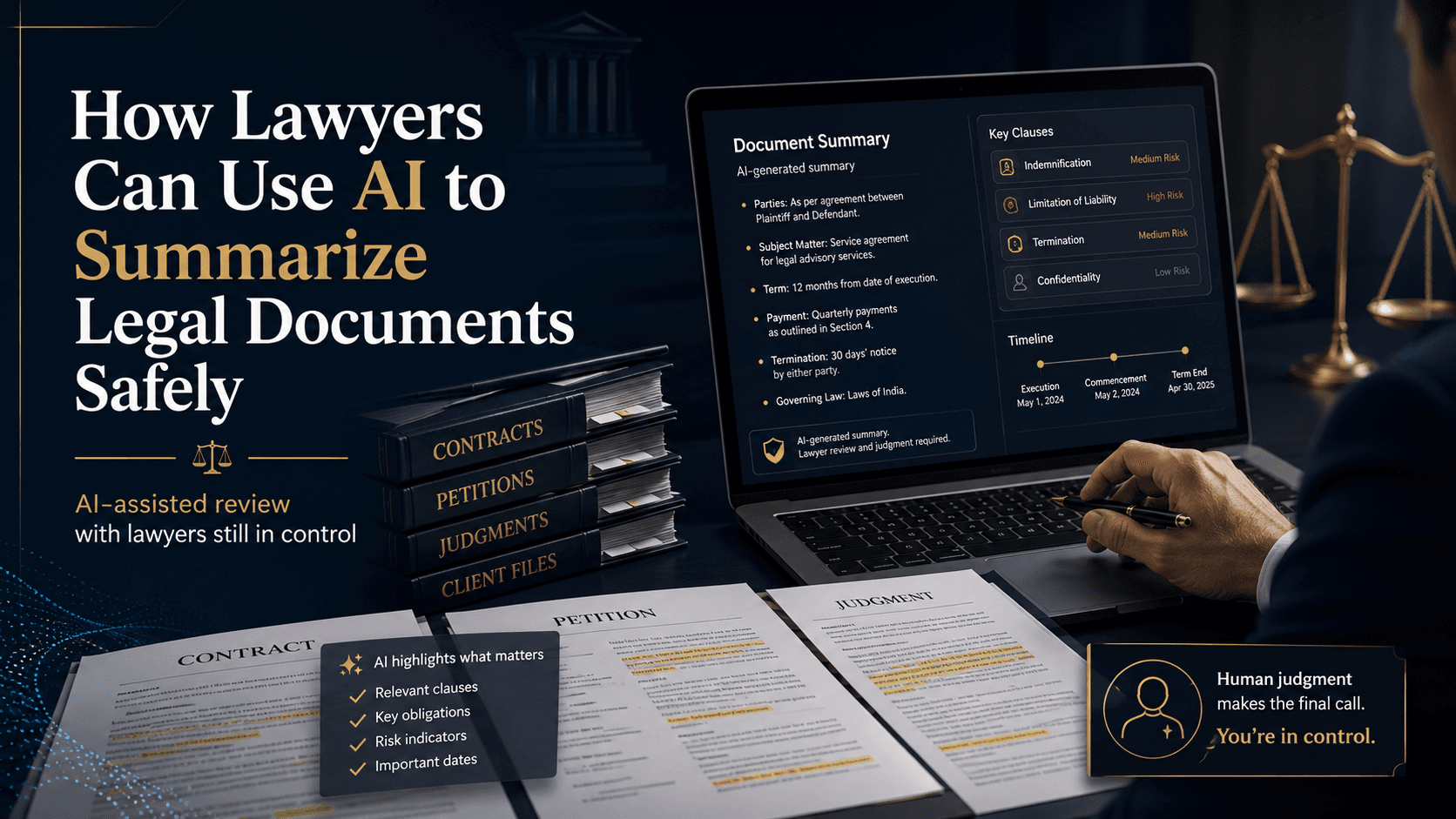
AI can help lawyers summarize legal documents safely when it is used as a first-pass review tool, not as a substitute for reading the source. The safest approach is to use AI to extract key parties, dates, obligations, issues, risks, and inconsistencies, then verify every decision-critical point against the original document before advising, filing, negotiating, or signing.
Anyone who works with legal material knows the problem. A long contract arrives just before a call. A pleading includes pages of procedural history before it reaches the actual dispute. A case file is scattered across emails, attachments, drafts, and messages sent over weeks or months. The issue is not only volume. It is that the fact that matters most is often buried inside routine-looking text.
Used properly, AI summarization gives lawyers a faster way to orient themselves. It can turn a long document into a structured review path: what the document does, what the parties must do, where the risks sit, what appears inconsistent, and which parts require immediate human attention. Used carelessly, it can create false confidence. That is why the right question is not whether lawyers should use AI summaries at all, but how to use them safely.
AI summarization is a triage layer, not legal advice
A good legal summary does more than shorten text. It helps a lawyer decide where to spend attention first. That matters because legal documents are not just narrative. They are frameworks of rights, duties, exceptions, deadlines, remedies, definitions, and cross-references.
A useful summary should answer practical review questions such as:
- What is this document trying to do?
- Who are the relevant parties?
- Which dates, deadlines, and notice periods matter?
- What obligations, claims, findings, or restrictions are most important?
- What risks or ambiguities need closer review?
- What appears missing, inconsistent, or unsupported?
- Where in the source can each important point be checked?
That is the real value of using AI for legal document review: faster orientation with a clear path back to the original text. It is also why this workflow differs from simply asking a general chatbot for a quick answer. In legal practice, the summary must lead back to the evidence, clause, paragraph, or annexure that supports it.
How lawyers can use AI to summarize different types of legal documents
Contracts: focus first on obligations, risk, and negotiation points
Contracts are often the clearest use case for AI summarization. Before a client call, the lawyer may not need to explain every clause in sequence. The immediate need is to identify what the client is agreeing to, what the commercial and legal exposures are, and which terms deserve pushback.
When using AI to summarize a contract, ask for:
- Core commercial terms such as scope, fees, payment timing, deliverables, renewal, and termination
- Risk allocation provisions such as indemnities, limitations of liability, warranties, confidentiality, data use, and audit rights
- Operational duties such as notices, approvals, reporting, service levels, and dependencies
- Negotiation points such as one-sided obligations, missing protections, unusual carve-outs, or unclear remedies
- Source references for each significant term so the lawyer can verify quickly
The point is not to replace contract review. It is to move from “What is in this entire agreement?” to “Which terms need legal judgment first?” If your work regularly involves redlines and clause review, this approach connects naturally with AI contract review workflows and the risks discussed in how reliable AI is for creating legal contracts.
Pleadings and petitions: separate procedural background from the real argument
Pleadings often contain repeated chronology, boilerplate, annexure references, and dense citations. A lawyer reading under time pressure usually wants the structure of the dispute first: who is asking for what, on what grounds, and where the argument looks weak.
A strong AI summary for pleadings should extract:
- Parties, forum, and procedural posture
- Relief sought
- Material facts alleged, admitted, denied, or disputed
- Legal grounds, statutory references, or doctrinal points relied on
- Authorities cited and the proposition each authority is said to support
- Contradictions, factual gaps, and points needing source verification
This gives the lawyer the spine of the case without pretending the dispute has already been analyzed. The legal work still comes next: checking whether the authorities say what the pleading claims, whether the material facts are properly pleaded, and whether the relief follows from the grounds advanced. That distinction also matters in broader discussions about whether AI-generated legal work is reliable.
Judgments: identify the holding, not just the story
Judgments are especially easy to summarize badly. A generic summary may describe the background and submissions but fail to identify what the court actually decided. In many jurisdictions, that is the difference between useful research and a misleading note.
For judgments, AI should be asked to surface:
- Court, date, parties, and procedural history
- The issues or questions considered
- The holding on each issue
- The reasoning supporting the holding
- The specific point of law applied, clarified, limited, or distinguished
- The parts of the judgment that should be read in full before relying on it
- Any limits arising from the facts, statute, forum, or procedural context
Lawyers should be especially careful with citations here. Widely reported incidents such as Mata v. Avianca in the Southern District of New York in 2023 show what can go wrong when legal professionals rely on unverified AI outputs. The lesson is not that AI summarization is unusable. It is that case references, quotations, and propositions must be checked against real authorities before they enter research, advice, or filings. For teams using AI in research-heavy work, the same caution applies to summarizing long judgments and using AI for legal research without risking bad citations.
Client files: build the timeline and surface inconsistency
Client files are rarely neat. Facts evolve. Instructions change. A key date appears in one email but not another. One attachment supports a position while a later message quietly undermines it. AI can be particularly useful here because it can review the file as a set, not just one document at a time.
For multi-document files, ask AI to produce:
- A chronology of key events and communications
- A list of important documents and what each one appears to show
- Client instructions at different stages
- Inconsistencies in facts, dates, names, amounts, or explanations
- Open questions to clarify before drafting, filing, advising, or negotiating
This use case is less about shortening a single document and more about creating order from fragmented information. It also aligns with practical file-management workflows such as how AI helps lawyers organize case files and building a legal case timeline.
What a trustworthy legal summary should include
In legal work, a polished summary can be dangerous if it hides uncertainty. A safer summary is one that makes its limits visible and makes verification easier.
At minimum, a reliable legal summary should include:
- Source references: each major point should point back to the relevant clause, page, paragraph, annexure, email, or exhibit
- Uncertainty flags: if the text is ambiguous, incomplete, inferred, or internally inconsistent, the summary should say so
- Omissions: if parts of the document were unreadable, skipped, outside scope, or not analyzed, that should be stated clearly
- Risk separation: legal risk, factual gaps, commercial exposure, and procedural issues should not be blended into one vague list
- Action points: the output should tell the lawyer what to verify, ask, redline, escalate, or read in full
If a summary cannot show where its claims come from, it should not be treated as dependable legal work product. That is one reason many firms and legal departments prefer controlled tools and defined workflows over ad hoc prompting.
Where AI summaries can go wrong
The most common mistakes are not dramatic hallucinations. More often, they are subtle errors that look reasonable enough to pass unnoticed during a rushed review.
- Missing the exception: the summary captures the general rule but misses a carve-out, proviso, schedule, or cross-reference that changes the result
- Overstating certainty: the original document is ambiguous, but the summary sounds definite
- Compressing away significance: a seemingly minor sentence carries major consequences for indemnity, jurisdiction, limitation, default, or evidence
- Misdescribing citations: a real authority is mentioned but the proposition attributed to it is wrong or incomplete
- Ignoring confidentiality: client material is uploaded to a tool that has not been approved for that use
These risks are not unique to one jurisdiction. In many jurisdictions, lawyers remain responsible for competence, confidentiality, supervision, and the final content of advice and filings, even when they use software to assist. Check your local bar rules, court guidance, employer policies, and client commitments before using any tool with sensitive legal material.
A safer workflow for using AI to summarize legal documents
The safest teams use repeatable process, not casual experimentation. A simple workflow can reduce both accuracy risk and confidentiality risk.
1. Use an approved tool for the type of matter
Do not upload confidential or privileged material into a system unless your firm or legal department has approved it for that category of work. Approval should be informed by security, privacy, client obligations, and internal policy.
2. Ask for a structured summary, not a generic one
Structured outputs are easier to verify than prose that simply “sounds right.” Ask for headings such as parties, dates, obligations, claims, issues, risks, inconsistencies, missing information, and action points.
3. Require source-linked support for important points
The summary should not merely assert. It should identify where the point appears in the source text. This is one of the clearest differences between useful legal summarization and unreliable compression.
4. Verify every decision-critical point
Anything that affects advice, negotiation, signatures, deadlines, filings, or strategy should be checked against the original material. That includes key clauses, quotations, authorities, timelines, and factual assertions.
5. Keep lawyer judgment in control
AI can organize, highlight, and accelerate first-pass review. It does not decide which ambiguity matters, whether a clause is acceptable, how a court may read an issue, or what recommendation should be given to the client.
This kind of disciplined process is consistent with broader guidance on how lawyers can use AI safely and with the practical habits described in how lawyers actually use AI in practice.
Prompt template for better legal summaries
If you want stronger output, the prompt should tell the system what structure and caution you expect. A practical template is:
Summarize this legal document for lawyer review. Do not treat the summary as legal advice. Organize the output under these headings: document type and purpose, parties, key dates, key obligations or claims, legal issues, important clauses or paragraphs, risks, inconsistencies, missing information, action points, and source references for every important point. Flag anything unclear, inferred, or requiring verification against the original.
You can adapt that template depending on whether the material is a contract, judgment, pleading, or file bundle. The more specific the requested structure, the easier it is for a lawyer to audit the result.
How Lexi supports legal document summarization
Lexi fits best as the controlled layer between raw legal material and lawyer judgment. Rather than asking lawyers to trust a black-box answer, it helps them move from document overload to a focused review path faster.
Legal teams use Lexi to:
- Turn long legal documents into structured summaries for review
- Extract obligations, dates, risks, arguments, citations, and inconsistencies
- Ask follow-up questions against the same document set without restarting from scratch
- Move from summary into drafting, redlining, research, or internal updates while keeping human review central
Across 200+ organizations, Lexi has helped legal teams process 5,000,000+ documents and 200,000+ cases. Customers report outcomes such as 45% more cases per attorney and 10+ hours saved per lawyer per week when AI is integrated into real legal workflows. For teams in different environments, that can support work across law firms, in-house legal teams, corporate legal operations, and litigation practices.
The takeaway
Using AI to summarize legal documents can be safe and useful when lawyers treat the summary as a map, not a verdict. For contracts, it can surface obligations and negotiation points. For pleadings, it can isolate the core theory of the case. For judgments, it can identify the actual holding. For client files, it can build chronology and expose contradictions across scattered records.
What AI should not do is replace source reading where consequences matter. The summary is the beginning of review, not the end of it. If lawyers keep verification, confidentiality, and judgment in control, AI summarization can save time without lowering standards.
FAQ
Can AI summarize legal documents accurately enough for lawyers to use?
Yes, as a first-pass review tool. AI can often extract structure, key issues, and obvious risk points quickly, but lawyers should still verify every important clause, authority, fact, and deadline against the source document.
What is the safest way to use AI to summarize legal documents?
Use an approved tool, request a structured summary, require source references, and treat the output as a review aid rather than final advice. Sensitive material should only be used in systems your firm or legal department permits.
Can AI summarize contracts, pleadings, judgments, and case files differently?
It should. Contracts need obligations and risk allocation, pleadings need claims and grounds, judgments need holdings and reasoning, and client files need chronology and inconsistency checks. The best results come from tailoring the summary format to the document type.